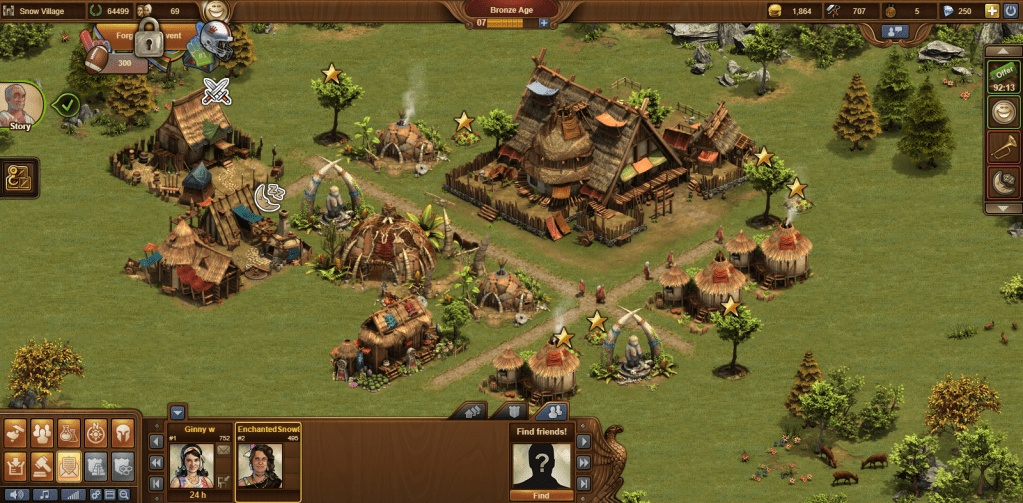
This time when I played Forge Of Empires, I build more decorations and houses in my city. I also trained more spear fighters to make my army stronger. I researched pottery and then build a pottery for my city to move it forward.
The majority of the character options are white males, with a good amount of white women, and very little people of color. All the characters have very different styles and are distinct. The low amount of characters of color was disappointing, because as a women of color I could only find one character who looked like me. I chose her, even though I didn’t necessarily relate to her fashion sense, simply because I wanted to play as someone who looked like me. It is interesting to notice that if I was white, I could probably choose a character who looked like me and who had a similar sense of style as me.
The GUI of the game has been pretty to use so far. The build, research, map, and arm management tabs are easy to identify. Within the build tab, it is easy to identify the different options using the pictures as well. The only issue I had was figuring out how to move buildings after I built them. To do so, you have to click on the build tab and then a menu pops up on the top of the screen with sell and move options. I think it would be easier if these options were shown when you just clicked on the building.
 Siri's EDU 185 Blog